
7 Best Day One Journal Alternatives in 2026 (Tested and Compared)

Looking for a Day One alternative? Independent comparison of 7 journaling apps — from AI-powered options to privacy-first tools. Honest pros, cons, and pricing.
📌 TL;DR — Day One Alternatives
Day One is a polished traditional journal with 10+ years of history and the only mainstream app with physical book printing. But at $49.99/year with no monthly option, limited AI features, and documented sync issues, many users look elsewhere. The best alternative depends on what you need: AI-guided reflection, mood tracking, cross-platform sync, or free-form flexibility.

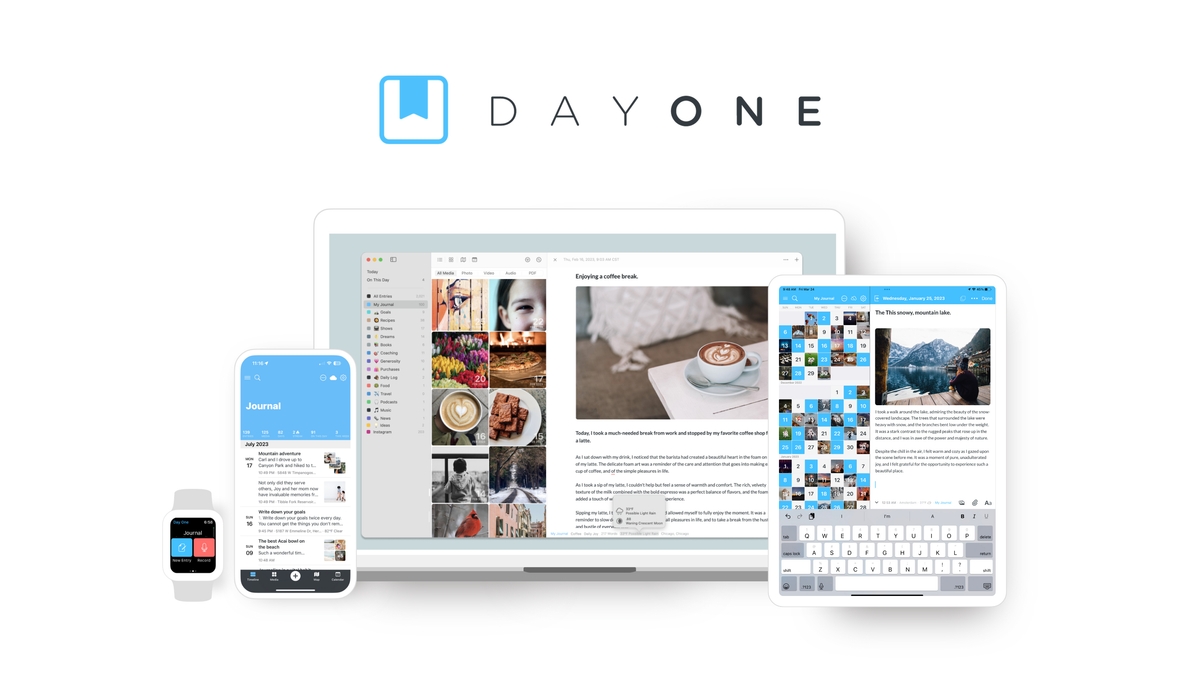
Day One — the veteran journaling app, now owned by Automattic
Day One is one of the most established journaling apps available — launched in 2011, acquired by Automattic (the company behind WordPress) in 2021, and used by millions of people to document their lives. It pioneered features like automatic weather and location metadata, multiple journals, and end-to-end encryption.
But no app is perfect for everyone. Whether you've outgrown Day One's feature set, been frustrated by its pricing model, or simply want something that does more with AI, this guide covers the most credible alternatives available in 2026.
Methodology: Each app was evaluated on journaling depth, AI capability, pricing transparency, platform availability, and privacy posture. This article is published on Life Note's blog — Life Note is one of the apps listed below. We've included honest strengths and limitations for every option, including our own.
Why People Look for Day One Alternatives
Day One remains a strong product, but several recurring pain points drive users to explore other options.
- Pricing. At $49.99/year with annual-only billing and no monthly option, Day One is among the most expensive journaling apps. Users who want basic cloud sync feel they're paying for a rich-text editor.
- Limited AI. Day One Labs offers AI-generated prompts and image generation, but there's no conversational AI, no pattern recognition across entries, and no coaching. The AI helps you write entries — it doesn't help you understand your life.
- Sync reliability. Multiple documented cases of journals disappearing due to sync errors. For a diary app where trust is everything, data loss is a dealbreaker.
- Android experience. Drawing, Instagram import, and book printing are iOS-only. Android users report more bugs and fewer features.
- No emotional intelligence. Day One tracks where you were and what the weather was like — but it doesn't track how you felt, what patterns are emerging, or what you might want to explore next.
7 Best Day One Alternatives in 2026
1. Journey — Closest Traditional Alternative

Journey — the most direct Day One competitor with broader platform support
Journey is the most direct Day One competitor. It offers a similar multimedia journaling experience with automatic metadata, templates, and a clean timeline interface — but with better cross-platform coverage and a lower price point. Where Day One started as an Apple-first app that gradually added Android and Windows, Journey was built for everywhere from the start.
Journey's standout feature is its storage model: your entries sync via Google Drive or OneDrive, meaning you own your data and can access it outside the app. This is a meaningful advantage for users concerned about vendor lock-in — a common Day One frustration.
Strengths:
- Available on iOS, Android, web, Mac, Windows, Linux, and Chrome OS — the widest platform coverage of any journaling app
- Google Drive and OneDrive sync (you control your data storage)
- Coach AI feature for guided reflections and prompt generation
- Markdown support and rich media (photos, video, audio, stickers)
- Shared journals for couples and families
Limitations:
- AI features are basic compared to dedicated AI journaling apps — Coach AI generates prompts but doesn't hold conversations
- Interface can feel cluttered with feature density
- Book printing requires third-party integration (no native solution like Day One)
- No end-to-end encryption — relies on Google/Microsoft cloud security
Pricing: Free plan available. Premium from $3.99/month or $29.99/year.
2. Rosebud — Best for AI-Guided Journaling

Rosebud — conversational AI journaling with long-term memory
Rosebud is an AI-first journaling app backed by $6M from Bessemer Venture Partners. It takes the opposite approach from Day One: instead of a blank page with metadata, Rosebud uses conversational AI to ask follow-up questions, identify behavioral patterns, and build a long-term memory of your reflections.
The core differentiator is Rosebud's memory system. After weeks of journaling, the AI can surface connections between a relationship pattern you wrote about in January and a work frustration you described in March. Day One stores your entries; Rosebud actively learns from them.
Strengths:
- Conversational AI that asks follow-up questions in real time
- Long-term memory system that connects past entries to current themes
- Therapist-designed guided workbooks (ACT, nervous system, relationships)
- Voice journaling in 20 languages with call mode
- Pattern recognition across entries over weeks and months
Limitations:
- Daily usage cap on AI interactions — can interrupt deep sessions at the worst moment
- Long-term memory is paywalled behind Bloom ($12.99/month) — the free plan lacks Rosebud's best feature
- AI sometimes forgets previously shared context and asks repetitive questions
- No book printing, map view, or rich media archival features
- Terms of service allow use of anonymized data for AI training — no opt-out
Pricing: Free plan available. Bloom: $12.99/month or $107.99/year.
3. Life Note — Best for Mentor-Guided Reflection
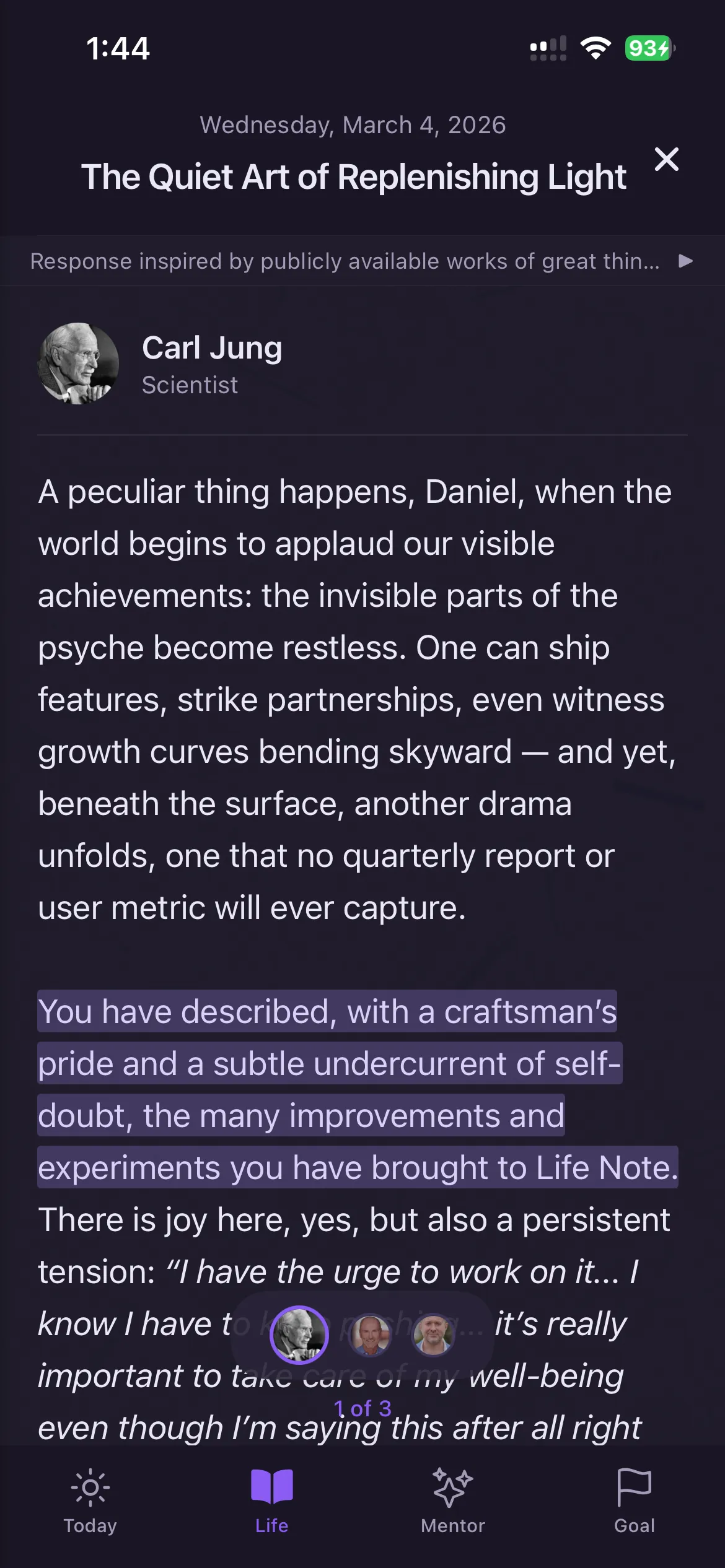
Life Note — 1,000+ AI mentors guide reflection through distinct frameworks
Life Note takes a different approach to AI journaling: instead of a generic chatbot, it offers 1,000+ AI mentors modeled on historical thinkers — Carl Jung, Marcus Aurelius, Virginia Woolf, and others. The idea is that reflection deepens when guided by a specific philosophical framework rather than a general-purpose AI.
Where Rosebud asks "how does that make you feel?", Life Note's Jung mentor might ask "what shadow aspect of yourself does this situation reveal?" — and its Stoic mentor would guide you through the dichotomy of control. The result is a fundamentally different journaling experience from Day One's blank page or Rosebud's single-AI model.
Strengths:
- 1,000+ AI mentors spanning philosophy, psychology, spirituality, and creativity
- Each mentor applies a distinct framework (Jungian shadow work, Stoic exercises, CBT techniques)
- Available on iOS, Android, and web with full feature parity
- Strong content library with 350+ guided journaling articles
- Focus on depth of reflection rather than habit tracking
Limitations:
- Mentor-based approach may feel unusual for users who prefer direct AI conversation
- Smaller user base than Day One or Rosebud — less community content
- No physical book printing or automatic weather/location metadata
- $99.99/year is higher than Day One
Pricing: Free plan available. Premium: $99.99/year.
4. Apple Journal — Best Free Option (iOS Only)
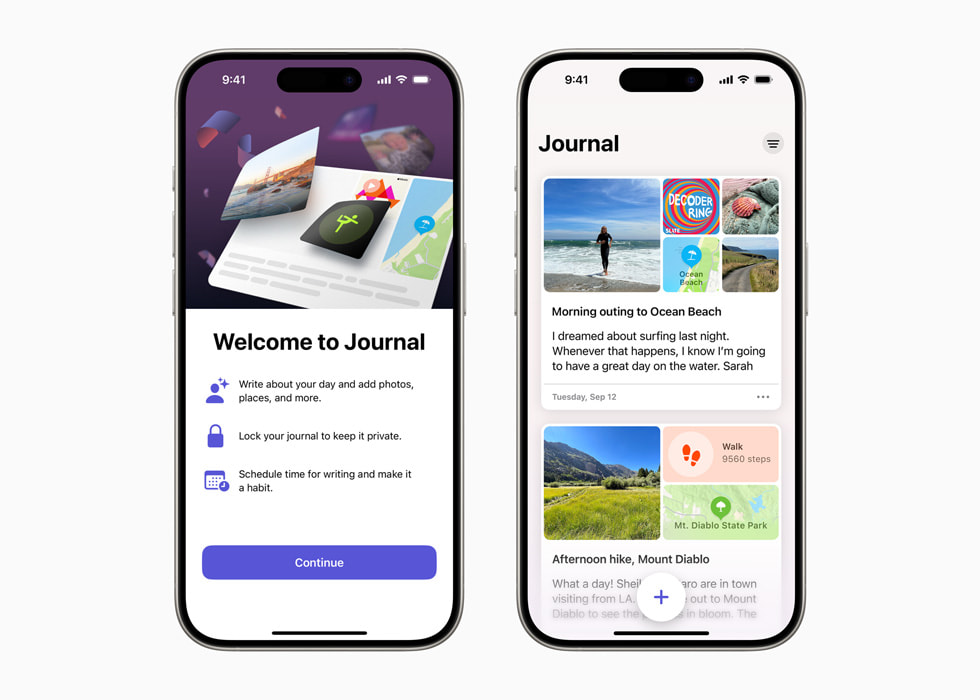
Apple Journal — free, private, and built into every iPhone
Apple Journal ships free with every iPhone running iOS 17+. It uses on-device intelligence to suggest journal moments based on your photos, locations, workouts, and music — with complete privacy. Nothing ever leaves your device.
Apple Journal represents the "good enough for most people" alternative. If you're a casual journaler who writes a few times a week and values privacy above all else, Apple Journal eliminates the need to pay for any journaling app. Its biggest limitation is also its biggest draw: radical simplicity.
Strengths:
- Completely free, no subscriptions or upsells — ever
- On-device AI via Apple Intelligence — zero data collection
- Automatic moment suggestions from photos, locations, and activities
- Seamless Apple ecosystem integration (Health, Photos, Music)
- Locked with Face ID or passcode by default
Limitations:
- iOS only — no Android, no web, no Mac app
- No export functionality (your entries are locked in Apple's ecosystem)
- No search within entries — you can browse by date but can't find specific text
- Very basic formatting — no templates, no multiple journals, no tags
- No AI coaching or pattern analysis — just moment suggestions
Pricing: Free.
5. Reflectly — Best for Mood Tracking
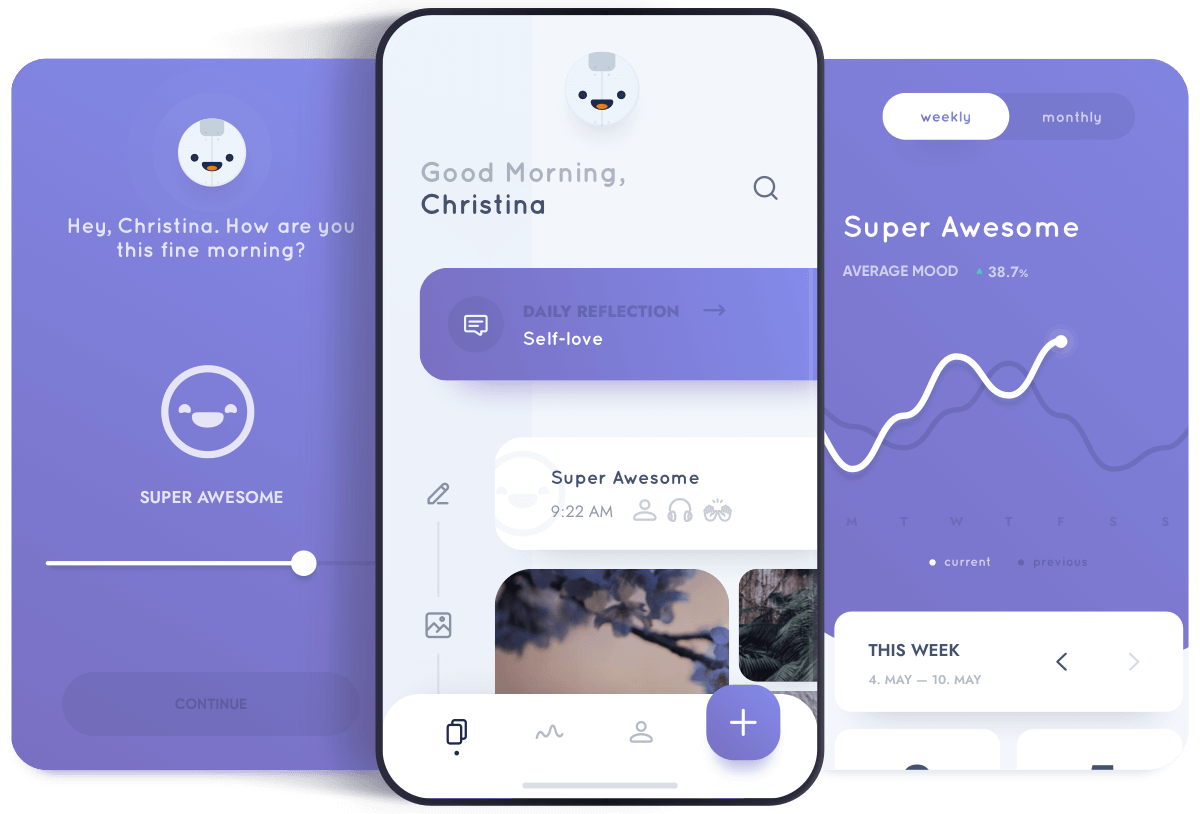
Reflectly — structured daily check-ins with mood tracking
Reflectly combines guided journaling with mood tracking. Its structured 3-part daily check-in (what happened, how you felt, what's next) lowers the barrier to entry for people who find blank pages intimidating. With 10M+ downloads, it's one of the most popular journaling apps globally.
Reflectly fills a gap that Day One doesn't address at all: emotional pattern tracking. Day One records what happened; Reflectly helps you track how you felt about it over time and identifies mood-activity correlations.
Strengths:
- Structured check-in format reduces blank-page anxiety — takes under 2 minutes
- Mood-activity correlation tracking over time
- Beautiful UI with polished animations (used as a Flutter showcase app by Google)
- Daily challenges and motivational content
- 10M+ downloads — large established community
Limitations:
- No free-form journaling mode — the structure that helps beginners is also the ceiling
- AI is prompt personalization, not conversational (pre-LLM era, circa 2017)
- Core analytics paywalled with minimal perceived free-to-premium difference
- Mobile only — no web or desktop app
- Aggressive upsell UX with countdown timers and Growth Bundle pop-ups
Pricing: Free plan available. Premium: $9.99/month or $59.99/year (iOS).
6. Notion — Best for DIY Journaling Systems
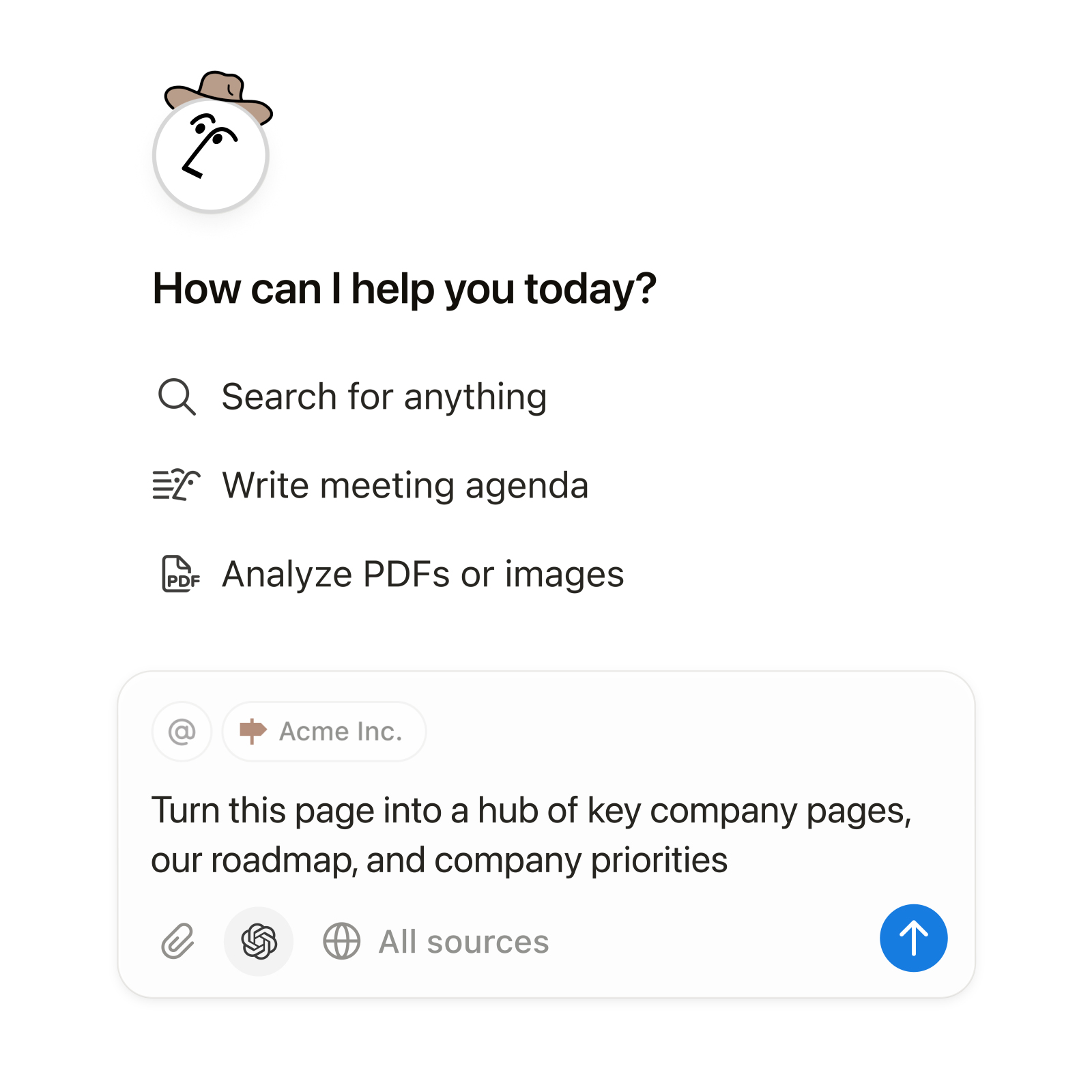
Notion — infinitely customizable workspace with AI
Notion isn't a journaling app — it's a workspace tool that many people use for journaling because of its unmatched flexibility. With databases, templates, and Notion AI, you can build exactly the journaling system you want: mood tracker, gratitude log, daily reflection, and weekly review — all in one workspace.
The tradeoff is effort. Day One gives you a polished journaling experience out of the box. Notion gives you a blank canvas and tools. If you enjoy building systems, Notion is liberating. If you just want to write, it's overwhelming.
Strengths:
- Infinitely customizable — databases, templates, relations, views, and formulas
- Notion AI can summarize entries, generate prompts, and analyze themes
- Available everywhere (web, iOS, Android, Mac, Windows)
- Free for personal use
- Doubles as a life management system (tasks, notes, projects, journal)
Limitations:
- Requires significant setup work — no journaling experience out of the box
- Not purpose-built for reflection (no mood tracking, no guided prompts by default)
- No end-to-end encryption — Notion has access to your content
- AI is general-purpose, not therapy or journaling-specific
- Can become overwhelmingly complex for people who just want to write
Pricing: Free plan available. Plus: $10/month. AI add-on: $10/month.
7. Penzu — Best for Privacy-First Journaling

Penzu — military-grade encryption for maximum privacy
Penzu positions itself as the most private digital journal available. Military-grade AES-256 encryption, no ads, no data selling — and a deliberate choice to keep things simple. It's the anti-Notion: one purpose, done well.
For users who left Day One because of data trust concerns (sync errors, Automattic ownership), Penzu offers a stripped-down alternative where privacy is the core feature, not an add-on.
Strengths:
- AES-256 encryption with custom lock passwords per journal
- Deliberately simple — writing-first, no feature bloat
- Web, iOS, and Android
- Email reminders and writing prompts
- PDF export for offline backup
Limitations:
- No AI features whatsoever
- Dated interface — hasn't had a major visual redesign in years
- Limited media support — primarily text-focused
- Smaller development team, slower update cycle
Pricing: Free plan available. Pro: $19.99/year. Pro+: $49.99/year.
Side-by-Side Comparison
| App | AI Depth | Platforms | Price/Year | Best For |
|---|---|---|---|---|
| Journey | Basic | All | $29.99 | Closest Day One replacement |
| Rosebud | Deep | iOS, Android, Web | $107.99 | AI conversation + pattern recognition |
| Life Note | Deep | iOS, Android, Web | $99.99 | Mentor-guided deep reflection |
| Apple Journal | On-device | iOS only | Free | Privacy + simplicity |
| Reflectly | Basic | iOS, Android | $59.99 | Mood tracking + guided check-ins |
| Notion | General | All | Free/$120 | Custom DIY journal systems |
| Penzu | None | iOS, Android, Web | $19.99 | Maximum privacy |
What Research Says About Digital Journaling
The journaling apps in this comparison use different approaches — guided prompts, conversational AI, mood tracking, and free-form writing. Research supports all of these methods, with important nuances:
| Study | Finding | Implication | Limitation |
|---|---|---|---|
| Pennebaker & Beall (1986) | Expressive writing reduced physician visits by 43% over 6 months | Free-form emotional writing has measurable health benefits | Lab setting; participants wrote about trauma specifically |
| Smyth et al. (2018), JAMA | Online expressive writing reduced PTSD symptoms in 1,497 participants | Digital journaling can be as effective as pen-and-paper | Self-selected population; 6-week follow-up only |
| Ullrich & Lutgendorf (2002) | Cognitive processing (not venting) drove health improvements in journaling | AI prompts that encourage analysis outperform simple mood logging | Small sample (122 students); short intervention period |
| Baikie & Wilhelm (2005), Advances in Psychiatric Treatment | Meta-review: expressive writing improved immune function, mood, and well-being across 200+ studies | Consistent evidence that regular journaling benefits mental health | Effect sizes vary; not all populations benefit equally |
| Krpan et al. (2013), British Journal of Health Psychology | Expressive writing reduced depressive symptoms and rumination in clinically depressed adults | Guided reflection may help with depression when paired with professional treatment | 40 participants; 3-day writing protocol only |
Key takeaway: The research consistently shows that how you journal matters more than where you journal. Cognitive processing — making meaning from experiences, not just describing them — produces the strongest outcomes. Apps with AI prompts that encourage deeper reflection may have an advantage over simple mood trackers, though direct comparative studies between journaling apps are still limited.
What to Look for in a Day One Alternative
Before switching, consider what matters most to your journaling practice:
- Data ownership. Day One stores your entries on their servers with optional encryption. If data control matters, look at Journey (Google Drive/OneDrive sync), Penzu (AES-256), or Apple Journal (on-device only).
- AI capability. Day One's AI is basic. If AI-guided reflection is what you want, Rosebud and Life Note are the serious options — but they approach it differently (conversation vs. mentor frameworks).
- Platform needs. If you journal across devices, check that your alternative supports every platform you use. Journey is the widest (7 platforms). Reflectly and Apple Journal are mobile-only.
- Migration effort. Day One exports in JSON and PDF, but no alternative offers one-click import. Factor in the effort of recreating your archive — or decide if you're comfortable starting fresh.
- Long-term commitment. Journaling apps become more valuable over time. Choose one you can see yourself using for years, not just months. Consider the company's stability, funding, and track record.
How to Choose the Right Day One Alternative
- Want the same experience for less money? Journey is the closest match — multimedia journaling, templates, automatic metadata — starting at $29.99/year with a monthly option.
- Want AI that actually helps you reflect? Rosebud (conversational AI with memory) or Life Note (mentor-guided frameworks) go far beyond Day One's basic AI Labs features.
- Want maximum privacy? Apple Journal (on-device, free) or Penzu (AES-256 encryption) prioritize your data above everything else.
- Want mood tracking? Reflectly's structured check-in format turns journaling into an emotional health habit with visualized trends.
- Want total control? Notion lets you design exactly the journaling system you need — but you have to build it yourself.
What Day One Still Does Best
To be fair, Day One isn't the right app to leave for everyone. It remains the best choice if you want:
- Physical book printing — no other mainstream journaling app offers this natively. You can turn years of entries into hardcover books.
- 10+ years of journaling history in one place — if you've been using Day One since 2011, migration is non-trivial and potentially not worth it.
- Rich contextual metadata — automatic weather, location, health data, and step counts attached to every entry without you doing anything.
- Geographic journaling — the map view showing where you wrote each entry is genuinely unique and powerful for travel journaling.
- Apple ecosystem depth — Watch, Shortcuts, Health, and Siri integration make Day One the best journaling app for Apple-only households.
The question isn't whether Day One is a good app — it is. The question is whether its particular strengths match what you need from a journaling practice in 2026.
Limitations of This Comparison
- Bias disclosure: This article is published on Life Note's blog. Life Note is one of the seven alternatives listed. We've applied the same evaluation criteria to every app, including our own.
- Pricing changes: App pricing shifts frequently. All prices listed were verified in March 2026 but may have changed since publication.
- Individual experience varies: App Store ratings and user reports reflect averages. Your experience with sync reliability, AI quality, and customer support may differ.
- No app replaces professional help: AI journaling apps — including those with therapeutic frameworks — are reflective tools, not mental health treatments. If you're experiencing a mental health crisis, contact a licensed professional or call 988 (Suicide & Crisis Lifeline).
- Feature parity is a moving target: AI capabilities are evolving rapidly. A limitation noted here may be resolved by the time you read this.
Frequently Asked Questions
Can I import my Day One entries into another app?
Day One supports export in JSON, PDF, and plain text formats. However, the export bundles entries into single files rather than per-entry files, which makes migration to apps like Journey or Notion more manual than automated. Rosebud, Reflectly, and Life Note do not currently offer direct Day One import.
Is Apple Journal good enough to replace Day One?
For casual journalers who write a few times a week and don't need multiple journals, encryption, or media-heavy entries, Apple Journal covers the basics for free. For power users who rely on Day One's book printing, search, or decade-long archives, Apple Journal falls short.
Which Day One alternative has the best AI?
Rosebud and Life Note offer the deepest AI journaling experiences, but they work differently. Rosebud uses conversational AI that asks follow-up questions and builds memory over time. Life Note uses AI mentors modeled on specific thinkers (Jung, Aurelius, Woolf) who guide reflection through distinct philosophical frameworks. Journey and Notion offer lighter AI features.
Are any of these alternatives cheaper than Day One?
Most are. Journey ($29.99/year), Reflectly ($59.99/year), Penzu ($19.99/year), Apple Journal (free), and Notion (free for personal use) all cost less than Day One's $49.99/year. Rosebud ($107.99/year) and Life Note ($99.99/year) cost more but offer significantly deeper AI features.
What about data privacy?
Privacy varies significantly. Apple Journal processes everything on-device. Day One and Penzu offer end-to-end encryption. Journey stores data in your own Google Drive or OneDrive. Rosebud's terms allow use of anonymized data for AI training. Check each app's privacy policy for your specific concerns.
Last updated: March 2026. Have a correction or suggestion? Contact us.
For a broader comparison of all AI journaling apps, see our comprehensive AI journaling app comparison.
Journal with 1,000+ of History's Greatest Minds
Marcus Aurelius, Maya Angelou, Carl Jung — real wisdom from real thinkers, not internet summaries. A licensed psychotherapist called it "life-changing."
Try Life Note Free