
Notion for Journaling: Complete Setup Guide (2026)

How to use Notion for journaling — step-by-step setup, best templates, where Notion excels, and when a dedicated app is better. Includes comparison table and research.
📌 TL;DR — Notion for Journaling
Notion is a powerful workspace tool that many people use for journaling because of its infinite flexibility — databases, templates, custom properties, and Notion AI. But it requires significant setup, has no end-to-end encryption, and lacks purpose-built journaling features like mood tracking, guided prompts, and pattern recognition. Best for: system builders who want journaling integrated into their life management workspace. Not ideal for: people who just want to write.
Notion has become one of the most popular tools for journaling — not because it was designed for it, but because its flexibility lets you build virtually any system you can imagine. With databases, templates, custom views, and Notion AI, you can create a journaling practice that ranges from a simple daily page to a complex emotional tracking system with mood analytics, habit correlations, and weekly reviews.
This guide covers everything you need to know about using Notion for journaling: how to set it up, the best templates to start with, where Notion genuinely excels, and where dedicated journaling apps may serve you better. Every recommendation is based on practical use, not theory.
Why People Use Notion for Journaling
Notion appeals to journalers who already use it for work or personal management and want one tool for everything — notes, tasks, projects, and journaling in a single workspace.
The appeal is consolidation. Instead of having a separate app for journaling, task management, note-taking, and project planning, Notion handles all of it. For people who already live in Notion for work, adding a journaling database means their reflections sit alongside their goals, projects, and notes — creating natural connections between what they're doing and how they're feeling about it.
Specific reasons people choose Notion for journaling:
- Already using Notion. The biggest factor. If Notion is your daily driver for work and life management, adding a journal database eliminates app-switching friction.
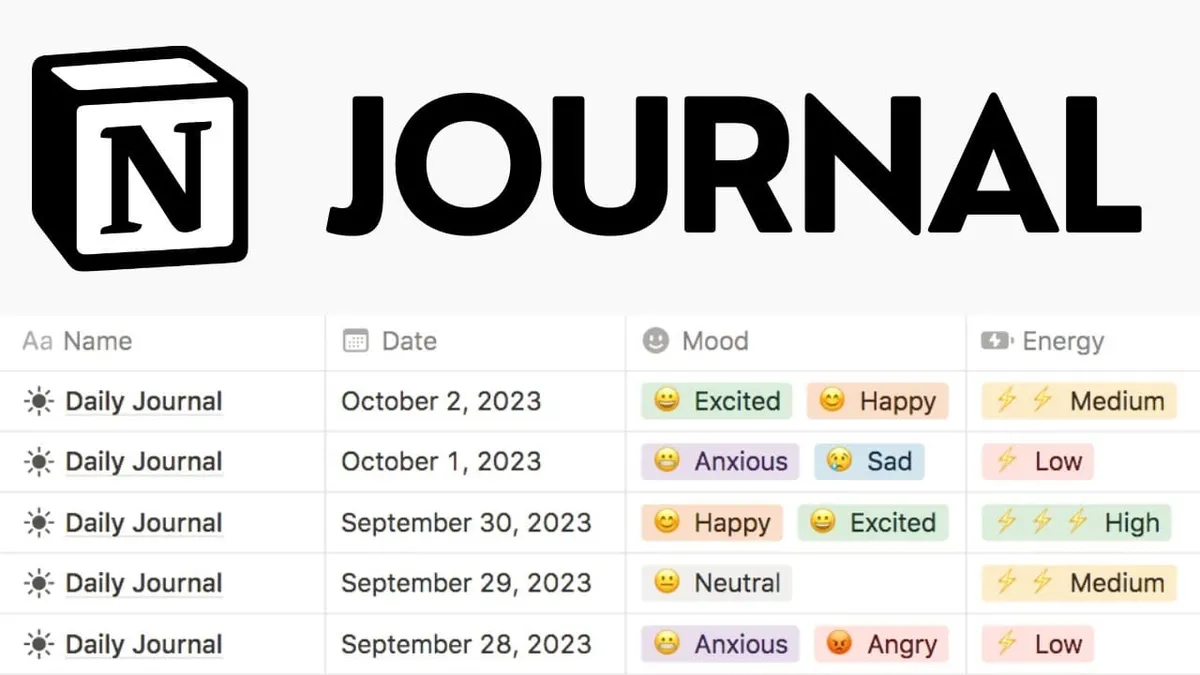
- Custom properties. Unlike traditional journal apps, Notion lets you add any metadata to entries: mood (select), energy level (number), sleep hours (number), gratitude items (multi-select), or any custom field you want to track.
- Multiple views. See your journal as a timeline, calendar, table, gallery, or board. Filter by mood, date range, or any custom property. No journaling app offers this level of data manipulation.
- Notion AI. Summarize entries, generate prompts, analyze themes across your journal — Notion AI adds intelligence to the workspace, though it's general-purpose rather than journaling-specific.
- Free for personal use. Notion's free plan includes unlimited pages and blocks for individuals. Most dedicated journaling apps charge $30-100+/year for full features.
How to Set Up a Journal in Notion
The fastest approach: create a database with date, mood, and content properties, then add a template for daily entries. Total setup time: 10-15 minutes.
Step 1: Create a Journal Database
Create a new full-page database in Notion. Add these properties:
| Property | Type | Purpose |
|---|---|---|
| Date | Date | Entry date (auto-fill with formula) |
| Mood | Select | Emotional state (Great, Good, Okay, Low, Rough) |
| Energy | Number (1-10) | Physical/mental energy level |
| Gratitude | Text | 3 things you're grateful for |
| Tags | Multi-select | Themes (Work, Relationships, Health, Creativity) |
Step 2: Create a Daily Entry Template
Inside your database, create a template with pre-built prompts. A simple daily journal template might include:
- Morning intention: What do I want to focus on today?
- Highlight of the day: What was the best moment?
- Challenge: What was difficult today?
- Reflection: What did I learn about myself?
- Tomorrow: What would I like to do differently?
Step 3: Add Multiple Views
Create views to analyze your journal over time:
- Timeline view: Browse entries chronologically
- Calendar view: See your journaling consistency (gaps visible)
- Table view: Filter and sort by mood, energy, or tags
- Gallery view: Visual preview of each entry's content
Step 4: Use Notion AI for Reflection
Notion AI can enhance your journaling practice in several ways:
- Generate prompts: Ask AI for journaling questions based on your recent entries
- Summarize entries: Get a weekly or monthly summary of themes and patterns
- Expand reflections: Use AI to explore a thought more deeply
- Identify patterns: Ask AI to analyze mood/energy trends across your entries
Best Notion Journal Templates
Start with a community template rather than building from scratch. The best free templates include daily entries, mood tracking, gratitude logs, and weekly reviews in one database.
The Notion template community has created hundreds of journaling templates. The best ones share these characteristics: they're simple enough to use daily, include mood/energy tracking, and offer both daily and weekly review prompts. Here are the approaches that work best:
- Daily reflection database: One entry per day with structured prompts, mood/energy select properties, and a free-writing area. This is the most sustainable format for most people.
- Bullet journal adaptation: Rapid-logging style with tasks, events, and notes in a single daily page. Monthly migration and review built into the template.
- Gratitude + reflection combo: Morning gratitude (3 items) paired with evening reflection. The simplest template that still produces meaningful self-awareness over time.
- Weekly review system: Daily micro-entries (2-3 minutes) with a longer weekly review template that summarizes themes, tracks goals, and plans the next week.
Notion's official template gallery and community sites like Notion Everything, Thomas Frank's templates, and the r/Notion subreddit all offer free journaling templates.
Where Notion Excels for Journaling
Notion's unique advantage is combining journaling with life management in one tool. No dedicated journaling app can match its database flexibility, multiple views, or integration with tasks and projects.
- Integration with your whole life. Your journal sits alongside your goals, projects, and notes. You can link a journal entry to a specific project, reference meeting notes in your reflection, or connect a mood pattern to a particular workstream. This contextual richness is impossible in standalone journaling apps.
- Data analysis. Because journal entries are database rows, you can filter, sort, and analyze them like any data set. "Show me all entries where mood was 'Low' and tag includes 'Work'" — no journaling app offers this query capability.
- Infinite customization. Want to add a "sleep quality" rating next month? Add a property. Want to track caffeine intake alongside mood? Add another. Notion grows with your practice without requiring you to wait for a developer to ship a feature.
- Cost. Free for personal use with unlimited pages. The AI add-on is $10/month, but it's optional. Most dedicated journaling apps charge $30-100+/year for comparable features.
- Collaborative journaling. Share a journal database with a partner, therapist, or accountability buddy. Permissions control who can view or edit. Most journaling apps are strictly single-user.
Where Notion Falls Short for Journaling
Notion lacks purpose-built journaling features: no mood pattern recognition, no guided therapeutic prompts, no end-to-end encryption, and no optimized mobile journaling experience. The setup burden is also significant.
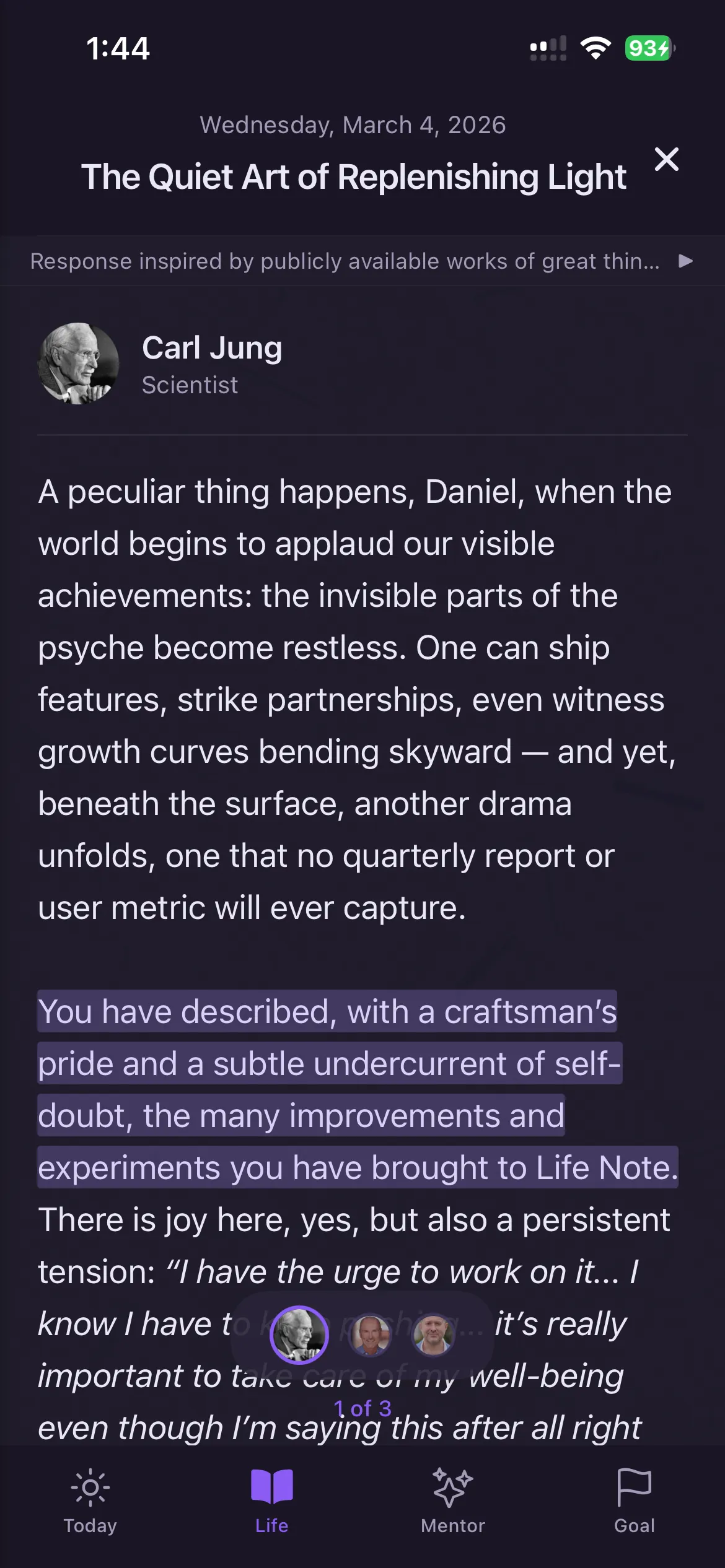
- No guided reflection. Notion gives you a blank page (or template) but never asks follow-up questions, challenges your thinking, or guides you through emotional processing. Dedicated AI journaling apps like Life Note and Rosebud provide active guidance that deepens reflection beyond what a static template can achieve.
- No pattern recognition. Notion AI can summarize text, but it doesn't automatically identify emotional patterns, recurring themes, or behavioral trends across your entries over time. Apps like Rosebud and Life Note are built specifically for this.
- No end-to-end encryption. This is the biggest concern for journaling. Notion can technically access your content — it's stored on their servers without end-to-end encryption. For deeply personal reflections about therapy, relationships, or mental health, this is a meaningful privacy gap.
- Setup overhead. A usable Notion journal takes 15-30 minutes to create. A dedicated app gives you a working journal in 30 seconds. For many people, the setup barrier means they never start.
- Mobile experience. Notion's mobile app works, but it's not optimized for quick daily journaling. Opening a database, creating a new entry, selecting properties, and writing feels clunky compared to apps designed for phone-first journaling.
- No push notifications or streaks. Notion doesn't remind you to journal. Research shows that habit formation depends heavily on triggers and reminders, especially in the first 66 days. Without built-in reminders, Notion journalers rely entirely on self-discipline.
Notion vs Dedicated Journaling Apps
| Feature | Notion | Day One | Life Note | Rosebud |
|---|---|---|---|---|
| Setup time | 15-30 min | 30 seconds | 30 seconds | 30 seconds |
| AI depth | General-purpose | Basic (Labs) | 1,000+ mentors | Conversational + memory |
| Guided prompts | DIY templates | Basic | Mentor-specific | AI-generated |
| Pattern recognition | Manual (filters) | None | Weekly letters | Automatic |
| End-to-end encryption | No | Optional | Yes | No |
| Mobile experience | Functional but slow | Polished | Optimized | Optimized |
| Customization | Infinite | Limited | Moderate | Low |
| Push reminders | No | Yes | Yes | Yes |
| Price/year | Free / $120 (AI) | $49.99 | Free / $49.99 | Free / $107.99 |
Research: Does the Journaling Tool Matter?
Research consistently shows that how you journal matters more than where. But the tool affects consistency, and consistency is the strongest predictor of journaling benefits.
| Study | Finding | Implication for Notion Journaling |
|---|---|---|
| Pennebaker & Beall (1986) | Expressive writing for 15 min/day over 4 days reduced doctor visits by 43% | Notion works if you actually write — the key is emotional processing, not the platform |
| Lally et al. (2010), UCL | Habit formation averages 66 days, with friction being the biggest barrier | Notion's setup overhead and lack of reminders may reduce habit formation success |
| Ullrich & Lutgendorf (2002) | Cognitive processing (making meaning) outperformed emotional venting | Notion's lack of guided prompts means users must self-direct deeper reflection |
| Smyth et al. (2018), JAMA | Online writing reduced PTSD symptoms in 1,497 participants | Digital journaling (including Notion) is as effective as pen-and-paper |
| Baikie & Wilhelm (2005) | Meta-review: regular journaling consistently improved mood and well-being across 200+ studies | Consistency is the strongest predictor — choose the tool you'll actually use daily |
Who Should Use Notion for Journaling
Notion journaling works best for system builders, data-oriented thinkers, and people who already use Notion daily. It works poorly for people who want guided reflection or minimal setup.
Notion journaling is ideal if you:
- Already use Notion daily for work or personal management
- Enjoy building and refining systems
- Want to track custom metrics alongside your reflections (sleep, exercise, caffeine, mood)
- Need to share journal entries with a therapist, partner, or coach
- Want your journal integrated with your goals, projects, and notes
- Prefer data analysis over guided reflection
Notion journaling is NOT ideal if you:
- Want to start journaling in 30 seconds with zero setup
- Need guided prompts or AI feedback on your reflections
- Journal primarily on your phone during commutes
- Want end-to-end encryption for sensitive entries
- Need push notification reminders to maintain consistency
- Prefer a focused, distraction-free writing environment
When to Switch from Notion to a Dedicated App
Consider switching if you notice any of these patterns:
- You're not actually journaling. If your Notion journal has more template refinements than entries, the setup overhead is defeating the purpose. A dedicated app removes the building temptation and focuses you on writing.
- You want deeper reflection. If you find yourself writing the same surface-level observations without deepening, AI-guided apps like Life Note (mentor frameworks) or Rosebud (follow-up questions) push reflection past the comfortable layer.
- You're concerned about privacy. If you're journaling about therapy, trauma, relationships, or mental health struggles, Notion's lack of end-to-end encryption is a real concern. Day One or Penzu offer stronger privacy.
- You journal primarily on your phone. Notion's mobile experience isn't optimized for quick daily entries. Purpose-built journaling apps are designed for 3-5 minute mobile sessions.
Limitations and Caveats
- Bias disclosure: This article is published on Life Note's blog. While we've provided an objective guide to Notion journaling, readers should consider this context when evaluating comparisons to dedicated apps.
- Notion AI pricing may change. Notion adjusts AI pricing and capabilities frequently. The $10/month AI add-on price was verified March 2026.
- Template quality varies. Community templates range from excellent to poorly designed. Test before committing to a complex system.
- No app replaces professional help. Whether you journal in Notion, a dedicated app, or a physical notebook — journaling is a self-reflection tool, not a mental health treatment. For clinical conditions, consult a licensed professional.
- Offline access is limited. Notion requires an internet connection for most features. If you journal during flights or in areas with poor connectivity, this is a practical limitation.
When Notion Might Not Be the Right Journal Tool
⚠️ When Notion Might Not Be the Right Journal Tool
Notion is powerful but its complexity can become a barrier rather than an aid. People with ADHD, executive dysfunction, or perfectionist tendencies often find that the temptation to perfect the database structure prevents actual journaling. The setup overhead can also discourage daily use — by the time you have built the perfect template, the journaling momentum is gone. Notion is also not a therapy tool. People in active mental health crisis or processing trauma need professional support, not a database. Consider simpler tools (paper, Day One, Apple Notes) if Notion turns into procrastination disguised as productivity.
Frequently Asked Questions
Is Notion good for journaling?
Notion is excellent for journaling if you value customization and already use it daily. Its database system lets you track mood, energy, gratitude, and any custom metric alongside your entries. However, it lacks guided prompts, end-to-end encryption, and push reminders that dedicated journaling apps provide. The best tool is the one you'll actually use consistently.
Is Notion journaling private?
Notion does not offer end-to-end encryption. This means Notion employees could theoretically access your content, and your data could be exposed in a breach. For casual reflections, this may be acceptable. For deeply personal entries about therapy, relationships, or mental health, consider apps with end-to-end encryption like Day One or Penzu.
What's the best free Notion journal template?
The best free templates include a daily entry database with mood/energy properties, morning and evening reflection prompts, and a weekly review template. Notion's official template gallery is the best starting point. Look for templates with 3-5 properties (not 15+) to avoid setup paralysis.
Can Notion AI help with journaling?
Yes, but with limitations. Notion AI can generate prompts, summarize entries, and identify themes when you ask it to. However, it's general-purpose — it doesn't remember past entries, track emotional patterns over time, or ask therapeutic follow-up questions. Dedicated AI journaling apps like Life Note and Rosebud offer significantly deeper journaling-specific AI.
Should I use Notion or a dedicated journaling app?
Use Notion if you already live in the tool and want your journal integrated with your broader life management system. Use a dedicated app if you want guided reflection, AI that learns from your entries over time, end-to-end encryption, or a frictionless mobile journaling experience. Many people use both — Notion for structured reviews and a dedicated app for daily emotional processing.
How do I stay consistent with Notion journaling?
The biggest challenge with Notion journaling is consistency since there are no push reminders. Set a daily phone alarm, use a habit tracker (physical or digital), and keep your template simple (3-5 minutes max). Research by Lally et al. found habit formation takes an average of 66 days — the first two months require the most discipline regardless of tool.
Related Articles

Journal with 1,000+ of History's Greatest Minds
Carl Jung, Marcus Aurelius, Lao Tzu — wisdom drawn from their original works, not AI-generated content. A licensed psychotherapist called it "life-changing."
Try Life Note Free